
“Too many connections”: database connection limits explained
Databases accept a limited number of client connections — PostgreSQL defaults to 100, MySQL to 151. When every connection is busy, new clients are refused with an error rather than queued.
What causes it
Connections pile up when queries arrive faster than the database finishes them: each waiting query keeps its connection open. The trigger is often outside the database — a cache restart, a traffic spike, or serverless functions that each open their own connection. Raising max_connections rarely helps: each connection costs memory, and the CPU can only run a few queries at once anyway.
How to recognise it
- PostgreSQL: “FATAL: sorry, too many clients already”
- MySQL: “ERROR 1040 (HY000): Too many connections”
- Database CPU high, query latency rising, connection count at the limit
The math
Connections in use ≈ query rate × query time (Little’s law)
Error messages you will see
| Error | Seen in |
|---|---|
FATAL: sorry, too many clients already | PostgreSQL, CockroachDB, Amazon RDS (PostgreSQL), Amazon Aurora (PostgreSQL), Cloud SQL (PostgreSQL), AlloyDB for PostgreSQL (PostgreSQL) and 5 more |
ERROR 1040 (HY000): Too many connections | MySQL, MariaDB, Vitess, Amazon RDS (MySQL), Amazon RDS (MariaDB), Amazon Aurora (MySQL) and 3 more |
Error 10928: resource limit for the database has been reached | Microsoft SQL Server, Amazon RDS (SQL Server), Cloud SQL (SQL Server), Azure SQL Database (SQL Server) |
How to fix it
- Put a cache in front for reads
- Add read replicas and route reads to them
- Use a connection pooler (PgBouncer, RDS Proxy)
- Use a larger instance (more active query slots)
Reproduce it in the simulator
These templates trigger this failure on purpose:
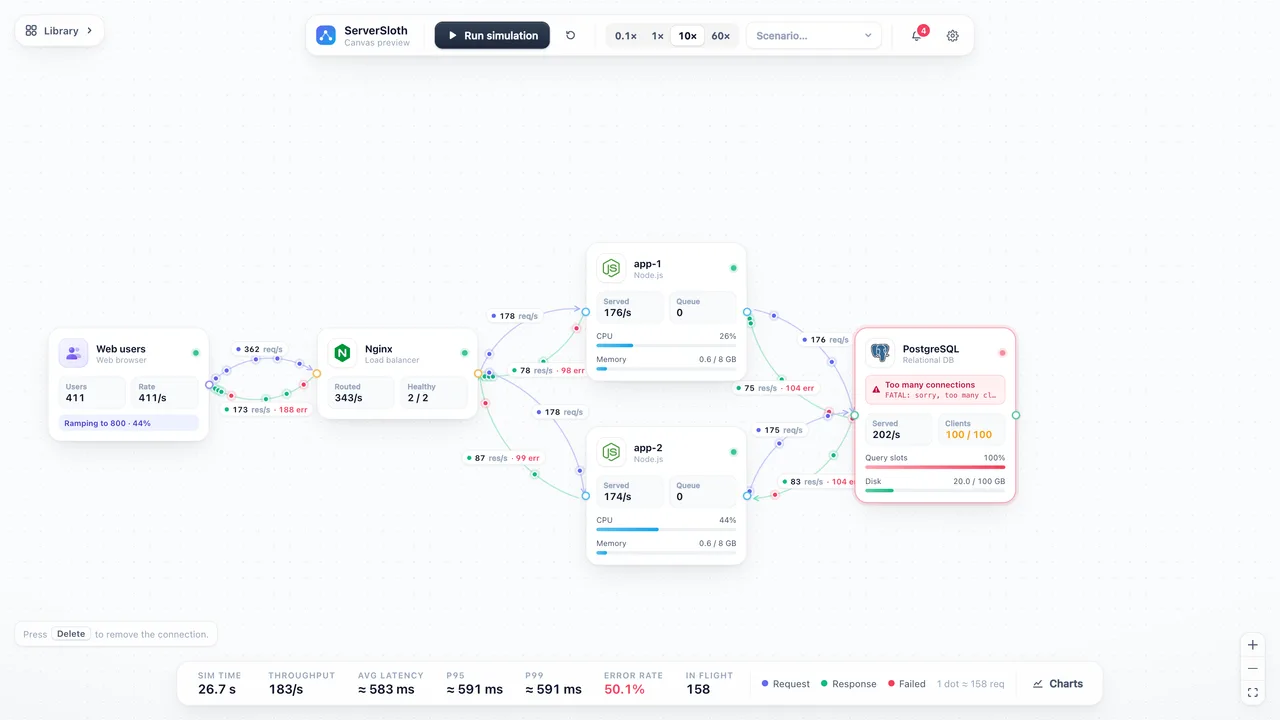 Startup
Small startup
Nginx in front of two app servers and one PostgreSQL. The app tier scales; the database becomes the bottleneck.
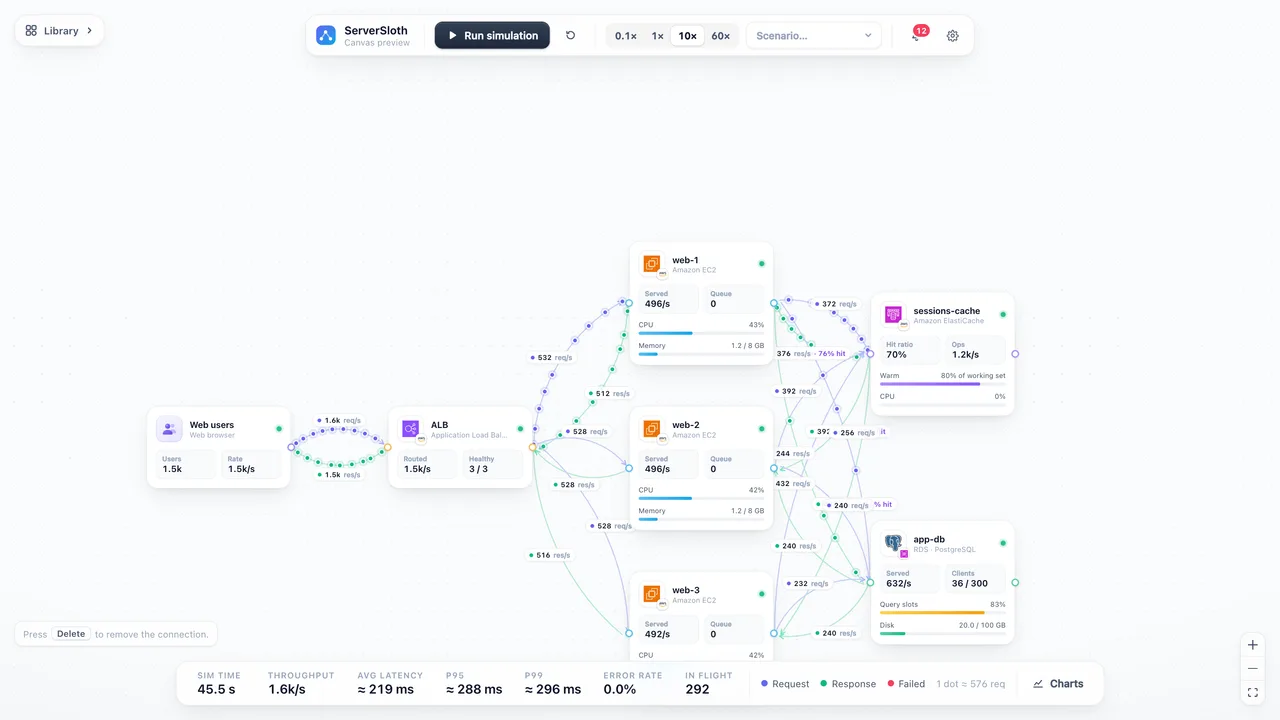 Startup
Cached web app
ALB → three EC2 servers using ElastiCache (cache-aside) in front of RDS PostgreSQL. At 60 s Redis is flushed.
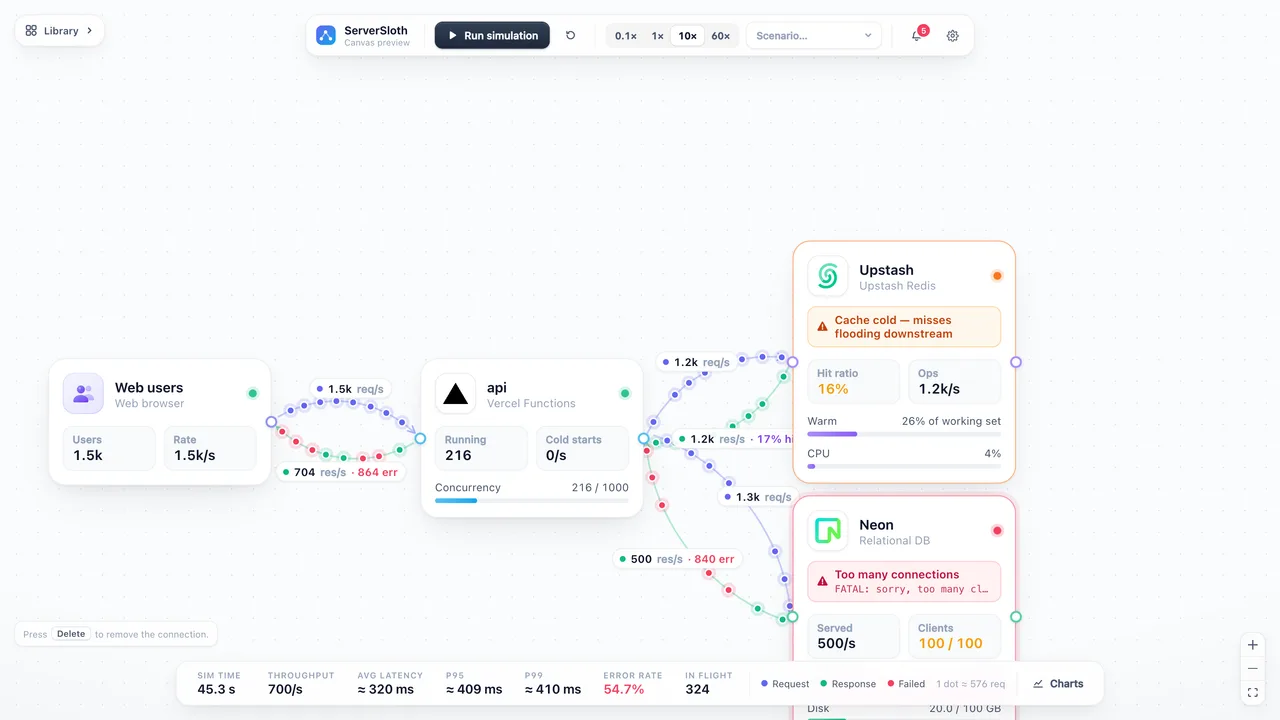 Startup
Serverless edge
Vercel functions → Neon Postgres, with Upstash Redis as a cache. Every function invocation can open a database connection.
Learn more
Part of the guide Load balancing and capacity planning.